Apple Tv Siri Remote
Control - (2nd Generation) Model A2540 4k/hd Mjfn3z/a
USD $49.99
Condition : Open box
Free Shipping

Notify me when the price drops
We will email you if we find a lower price on this product!
- STORE HOME
- new arrival
- CONTACT US
- ABOUT US
- ADD TO FAVS
- FEEDBACK
- Store Home
- iPhone iPad Accessory
- Cellphone Parts
- Laptop Fan
- Laptop Keyboard
- Laptop Hinges/Cable/Inverter
- Laptop Hard Drive Cover Caddy
- Laptop Parts - Others
- Computer Accessory
- TV/Monitor/Projector Parts
- Server Parts & HDD Caddy/Tray
- Philips Norelco & Sonicare
- Bluetooth Headset
- Laptop Power Jack Board
- Allen Bradley
- Remote Control
- Video Games Accessories
- Omron
- Smart Bracelets
- Replacement Band for Fitbit
- Adapter
- Hearing Assistance
- Business & Industrial
- Sporting Goods
- Consumer Electronics
- Other
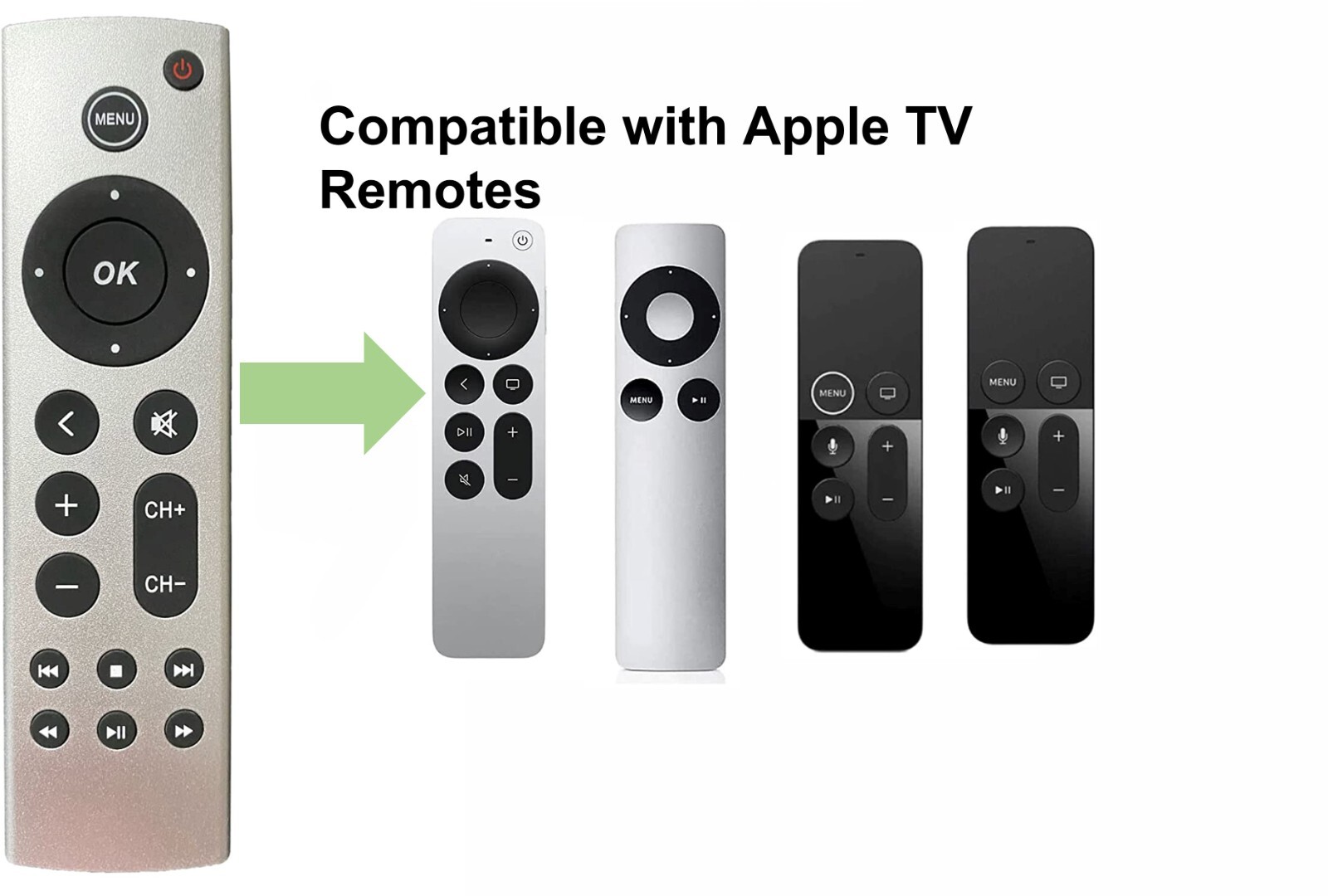
OUR OPTIONS Apple TV Siri Remote Control - (2nd Generation) Model A2540 4K/HD MJFN3Z/A ITEM DESCRIPTION
Before you use it, you need to match apple TV first.
Press and hold Back " < " and Volume Up " + " for five seconds.
If asked, place your remote on top of Apple TV to complete pairing.
If your remote still isn't working as expected, try restarting your remote.
Press and hold the TV/Control Center button and the Volume Down button " - " at the same time. Hold the buttons down for about 5 seconds, or until the status light on your Apple TV turns off and on again.
Release the buttons. Then wait 5 to 10 seconds for a Remote Disconnected notification to appear on your TV screen.
Wait while your remote restarts. When the Connected notification appears, you can use your remote
Get more help
Charge your remote for 30 minutes using a USB-C to USB or Lightning to USB cable and a USB wall charger.
Unplug your Apple TV from the wall power outlet. Wait at least six seconds, then plug it back in.
Make sure that your Apple TV is updated to the latest version of tvOS.
We tested the products to make sure they all worked.
If you have any other questions, please feel free to contact us and we will do our best to solve the problem for you.
Please check pictures &graphics card type more details.
SKU# CP.QM.646-1 Shipping Weight:4oz (net:2.36oz)
5-Padded FR Envelope 8-Regional Box A
Please check pictures &graphics card type more details.
You'll receive:
1x remote control






 .
